
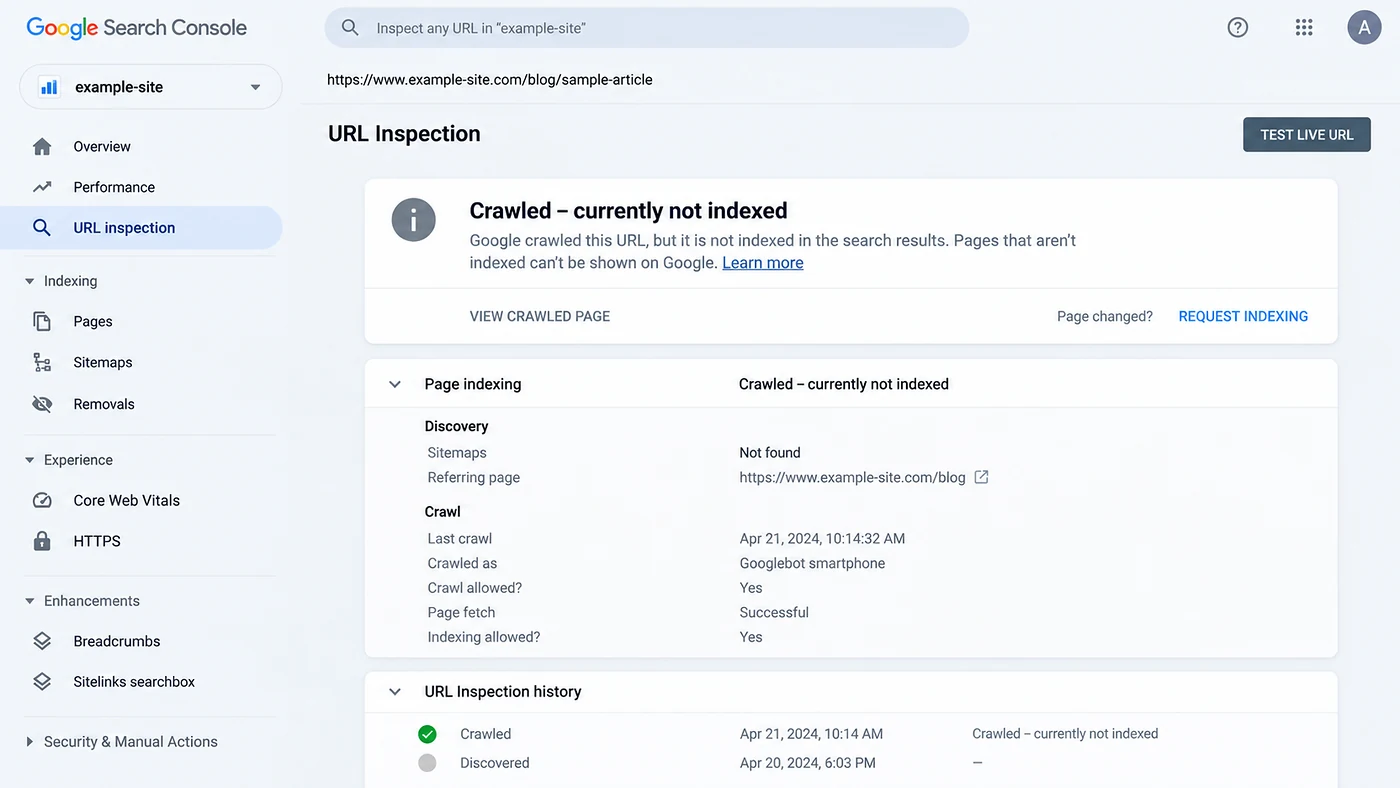
“Crawled – currently not indexed” means Google visited the page but did not index it
When Google Search Console shows this status, the first important fact is that crawling already happened. The page may be technically accessible and still remain outside the index. That is why repeatedly requesting indexing is rarely the best first response.
First, rule out technical signals that contradict indexing
The canonical URL should return the expected successful response rather than a redirect chain, soft error or blocked response.
Check the page for noindex and confirm robots.txt is not preventing the crawling needed for Google to evaluate resources.
Make sure the page is not declaring a different URL as canonical unless that is intentional.
Use URL Inspection to confirm Google can see the meaningful content and links you expect after rendering.
Important pages should be reachable through normal crawlable links from relevant pages on the site.
Include canonical URLs you want indexed, but remember that a sitemap is a discovery signal, not a guarantee of indexing.
Then compare the page with the rest of your own site
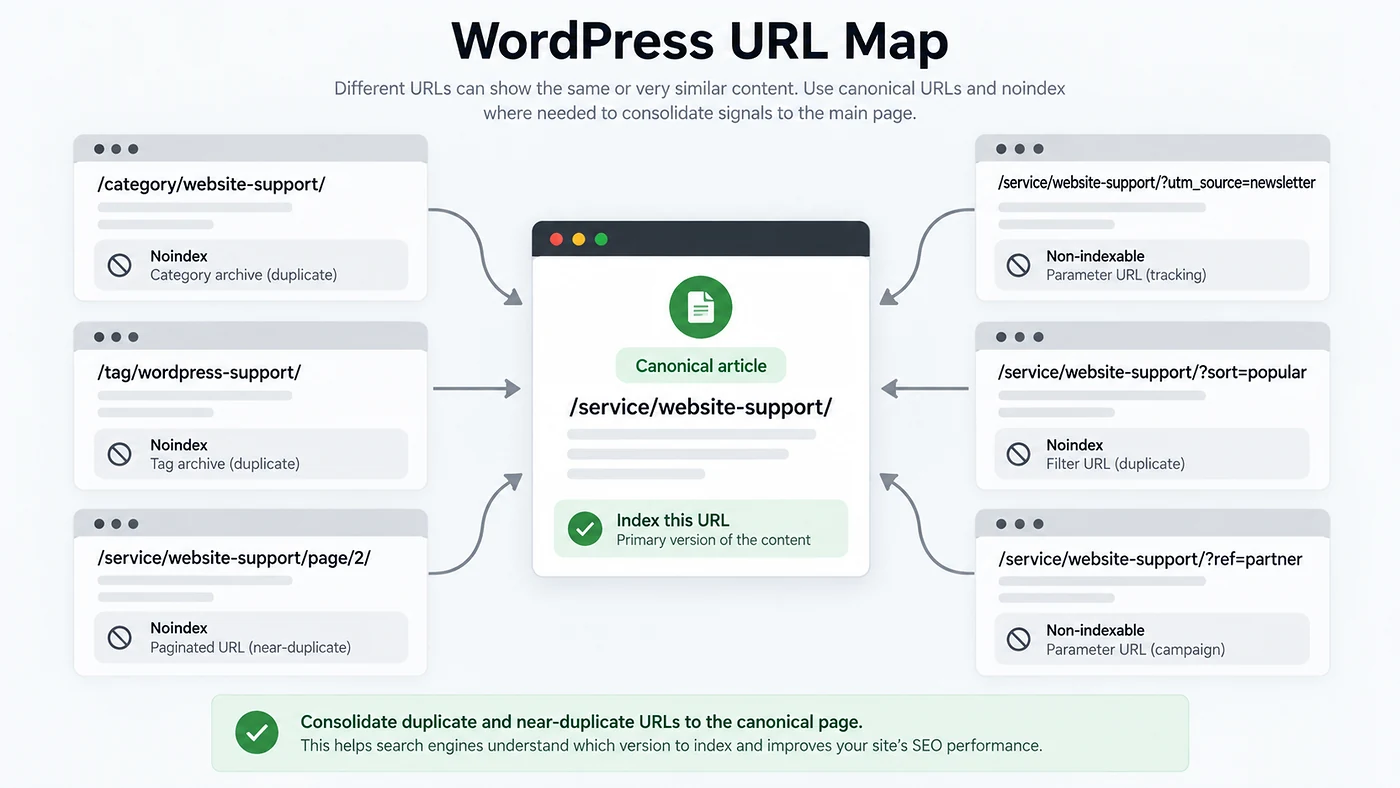
Indexing problems often appear in groups: many near-duplicate location pages, thin tag archives, automatically generated filters, short service variants or articles that repeat the same answer with only the keyword changed. If Google can already satisfy the same intent with a stronger page on your site, another similar URL may not add much value.
| Pattern | Question to ask | Possible action |
|---|---|---|
| Very similar articles | Does each page answer a meaningfully different intent? | Merge overlapping pages and redirect weaker duplicates when appropriate. |
| Thin location pages | Is there genuinely local information beyond the city name? | Add specific service, process, examples or constraints—or keep only locations you can support well. |
| Tag/filter archives | Do these pages help searchers independently? | Limit indexable combinations and keep low-value variants out of the index where appropriate. |
| Old articles | Is the information still current and internally linked? | Update, consolidate or remove content that no longer deserves a standalone URL. |
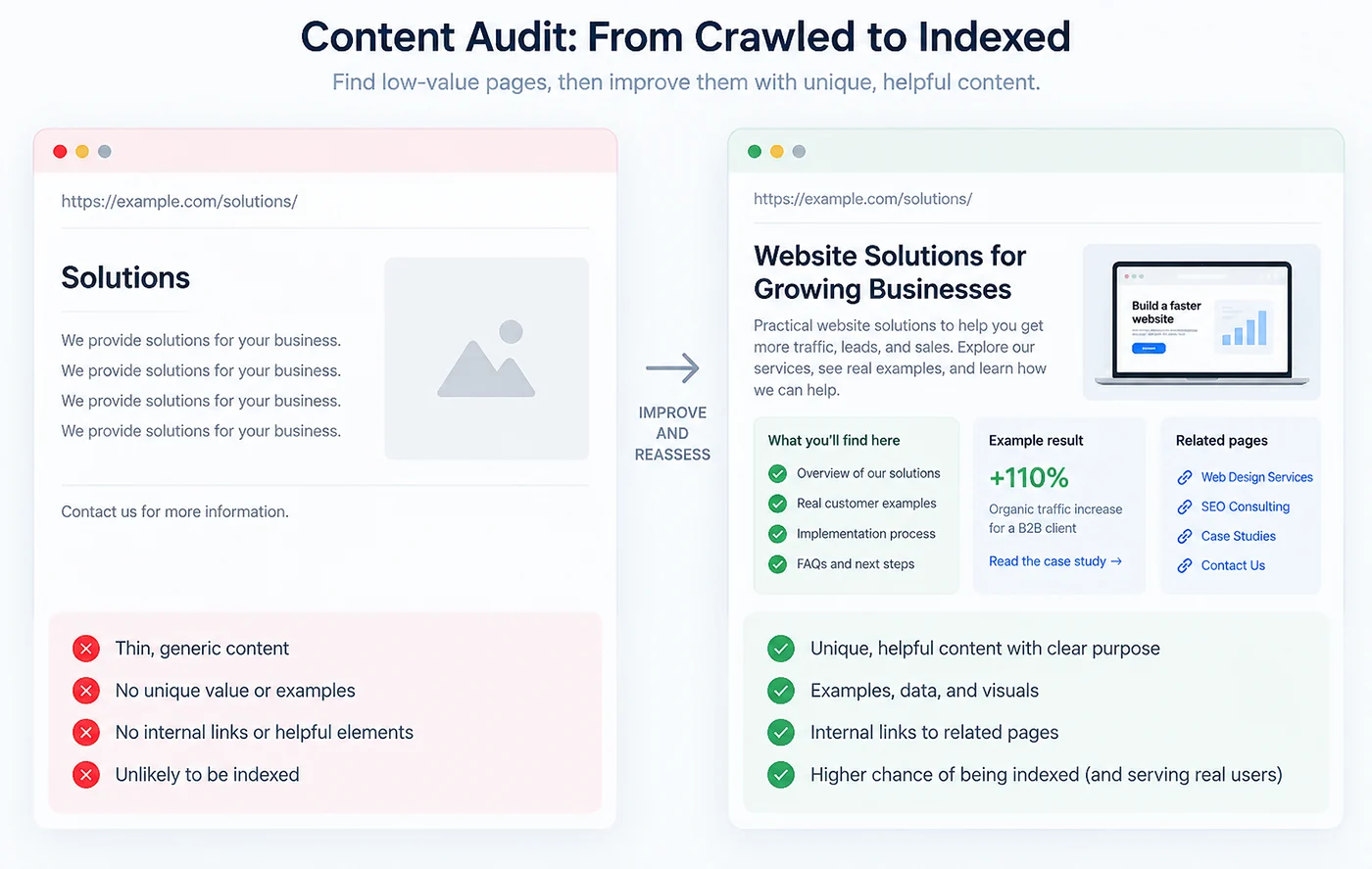
Improve the page by adding information only this URL can provide
Do not expand word count for its own sake. Add the missing decision support: a clearer process, an original checklist, screenshots, real examples, constraints, comparisons or an answer to a follow-up question that competing pages ignore. The page should have a reason to exist separately from every other URL on your site.
Strengthen internal context around the page
Google uses links to discover pages and understand context. Add relevant contextual links from established pages, category pages or related articles. Use descriptive anchor text and avoid creating dozens of identical exact-match links. For a deeper structure, follow the internal linking guide for service websites.
For WordPress, check common sources of accidental duplication
- Category, tag and author archives covering the same content
- HTTP/HTTPS or www/non-www inconsistencies
- Page-builder templates with thin standalone URLs
- Attachment pages or media URLs
- Search and filter parameter combinations
- Staging domains that were accidentally public
- Canonical settings changed by an SEO plugin
- Old slugs that redirect through multiple hops
What to monitor after the changes
For broader technical and content work, see Blyfa’s SEO service and the SEO guides. If the problem is tied to WordPress templates, plugins or site structure, the website support service can address the technical layer separately from the search strategy.
Do not treat indexing as a submit button problem
Confirm technical eligibility, remove duplication, improve the page’s unique value and strengthen the internal path to it.
Request an SEO review
Short comments related to this article.