
Internal linking for service websites should follow the customer journey
A service website does not need hundreds of internal links. It needs the right pages connected in a way that helps a visitor understand the offer and helps search engines discover how services, supporting articles and related topics fit together.
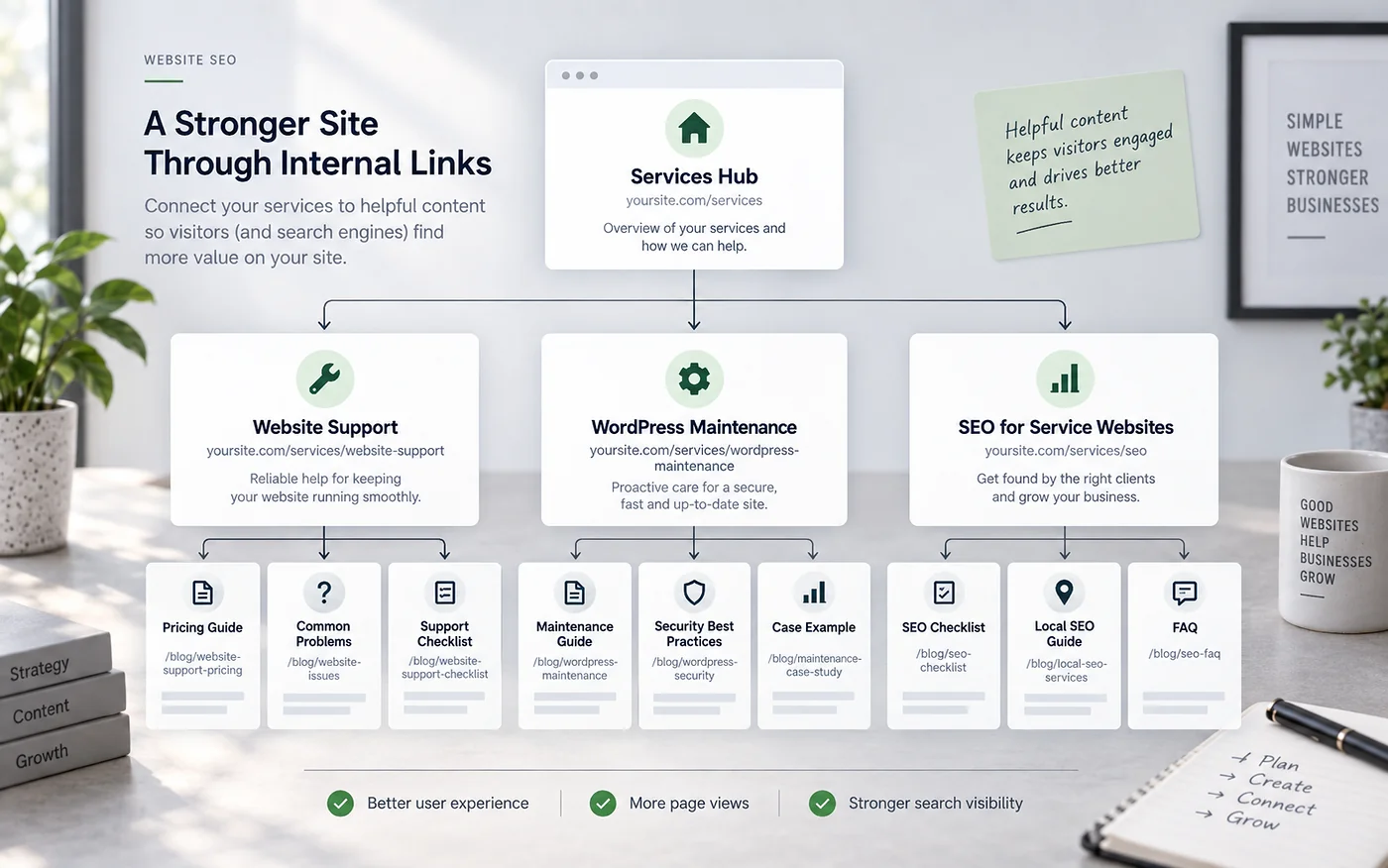
Build three layers: hub, service, support content
1. Hub page
The services overview explains the main areas of work and links to the detailed service pages. For Blyfa, that role is served by Services.
2. Service pages
Pages such as Website support, Web design and SEO services are commercial destinations with a clear purpose.
3. Supporting articles
Blog posts answer narrower questions, troubleshoot problems and teach practical concepts. Their links should help readers move naturally toward a deeper guide or the relevant service—not turn every paragraph into a sales pitch.
Use descriptive anchor text, not repeated “click here” links
Anchor text should make sense even when read quickly. “Website support service” tells a reader more than “learn more.” At the same time, forcing the same exact keyword into every link creates awkward copy. Write the sentence for the reader first, then make the destination clear.
For more information, click here.
See our website support service for ongoing WordPress maintenance.
Read the WordPress staging guide before testing risky updates.
A practical internal-link map for a service page
| Source page | Useful destination | Reason for the link |
|---|---|---|
| Website Support service | Critical error troubleshooting article | Answers a concrete problem a support buyer may be facing. |
| Critical error article | Website Support service | Gives the reader an option when the issue needs hands-on diagnosis. |
| SEO service | Internal linking guide | Explains one part of the SEO work in more depth. |
| Internal linking guide | Services overview | Helps a reader understand how the site’s commercial topics are organised. |
Find orphan pages before creating more content
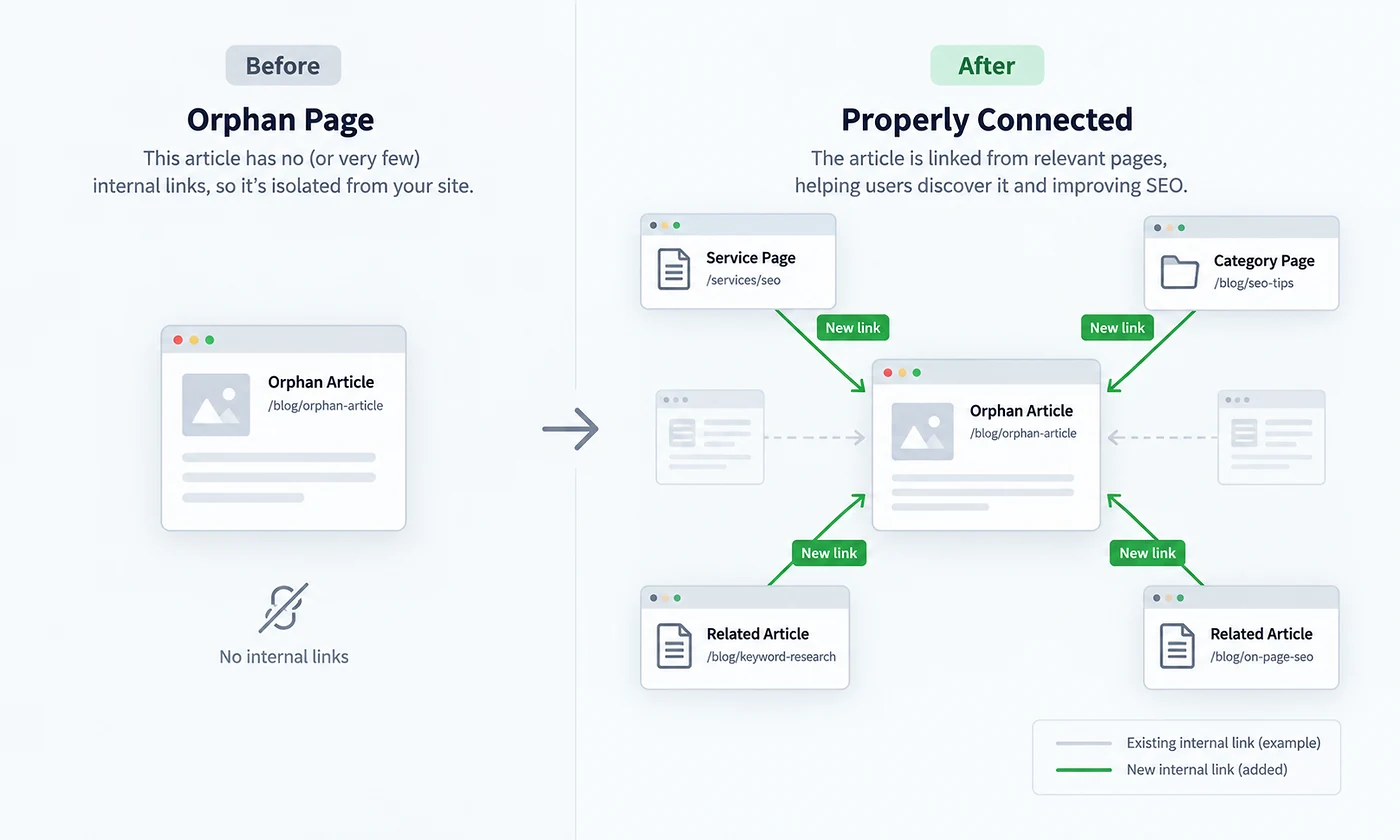
An orphan page has no useful internal path pointing to it from other crawlable pages. It may still be discovered through a sitemap or external link, but it is harder for users to reach and easier to forget during future updates. Before publishing a new article, decide which existing page should link to it and which relevant pages it should link back to.
- Every important service page has contextual links pointing to it
- New articles are linked from a relevant category or older article
- Old articles link forward to newer, more complete resources
- Redirected or deleted URLs are removed from old body links
- Navigation does not carry the entire internal-linking job
- Anchor text describes the destination naturally
Prioritise pages that matter to the business
Internal linking is partly an editorial decision. If a service is important, make sure the website reflects that importance through navigation, contextual links and supporting content. This does not mean linking every page to the same commercial URL; it means creating relevant paths where the reader benefits from the next step.
A simple monthly internal-linking routine
For a broader search strategy, see Blyfa’s SEO service and the SEO guides. Internal links work best when the destination pages are useful, indexable and clearly different from one another.
Link structure should make the site easier to understand
Use internal links to connect real user questions with the service, guide or next action that answers them.
Discuss an SEO structure review
Short comments related to this article.